ndarray: a special data type for numerical data

In the section Numerical functions as transformation of a previous port, we used a list and a for loop to perform some mathematical calculations. Although the method is very simple, it is not very efficient.
As explained by Jake Vanderplas in this video, python loops are time consuming since at each iteration the interpreter has to check that the data types. In the article on data types, it was mentioned that list might contain elements of different data types, making the aforementioned checking necessary.
The library numpy offers a solution for this problem by providing a special data type called ndarray, which is similar to a list but all its elements have to be of the same type.
Building numpy arrays
The library numpy offers various ways to create arrays.
A simple method is to transform a list into an ndarray, but there are other forms to get them:
import numpy as np
a = np.array([0, 1, 2, 3.5, 4.2, 10])
print("a =", a)
b = np.linspace(0, 1, 11)
print("b =", b)
c = np.arange(0, 1.05, 0.1)
print("c =", c)
d = np.zeros(5)
print("d =", d)
e = np.ones(6)
print("e =", e)
f = np.random.rand(5)
print("f =", f)
g = np.random.randint(11, size=6)
print("g =", g)
a = [ 0.   1.   2.   3.5  4.2 10. ]
b = [0.  0.1 0.2 0.3 0.4 0.5 0.6 0.7 0.8 0.9 1. ]
c = [0.  0.1 0.2 0.3 0.4 0.5 0.6 0.7 0.8 0.9 1. ]
d = [0. 0. 0. 0. 0.]
e = [1. 1. 1. 1. 1. 1.]
f = [0.5451996  0.49368761 0.48197987 0.28080124 0.18046084]
g = [ 3  5  1 10  8  1]
All of the above example are similar to a list, and are enter into the class of one-dimensional array. However, ndarray allows us to create higher-dimensional arrays.
Here are a couple of examples of ways to create two-dimensional ndarray:
import numpy as np
a = np.array([[1.3, 4], [9.3, -3.14]])
print("a =\n", a)
b = np.random.rand(4,5)
print("b =\n", b)
c = np.random.randint(11, size=(4,5))
print("c =\n", c)
d = np.eye(4)
print("d =\n", d)
e = np.zeros((3,4))
print("e =\n", e)
f = np.ones((2,5))
print("f =\n", f)
a =
 [[ 1.3   4.  ]
 [ 9.3  -3.14]]
b =
 [[0.5391786  0.05398241 0.21687336 0.28755768 0.62844929]
 [0.78871333 0.06122128 0.46469304 0.20521034 0.74049581]
 [0.33120551 0.8659041  0.23759993 0.9672616  0.65304733]
 [0.5042783  0.20098257 0.7937683  0.03892913 0.32799822]]
c =
 [[ 1  0  6  4  8]
 [ 0  1  9  6  1]
 [10  3  9  2  1]
 [ 5  0  6  7  9]]
d =
 [[1. 0. 0. 0.]
 [0. 1. 0. 0.]
 [0. 0. 1. 0.]
 [0. 0. 0. 1.]]
e =
 [[0. 0. 0. 0.]
 [0. 0. 0. 0.]
 [0. 0. 0. 0.]]
f =
 [[1. 1. 1. 1. 1.]
 [1. 1. 1. 1. 1.]]
Knowing how to build ndarray, we have to start working with them.
Arithmetic of ndarray
In python each data type admits transformation under a set of arithmetic operations, as addition (+) or multiplication (*). Let's illustrate the difference between list and ndarray:
import numpy as np
a_list = [1, 2, 3]
b_list = [4, 5, 6]
print("Addition of list:", a_list + b_list)
print("Addition of ndarray:", np.array(a_list) + np.array(b_list))
Addition of list: [1, 2, 3, 4, 5, 6]
Addition of ndarray: [5 7 9]
The above code block can be resumed into two pictures:
The addition operation concatenates
list
The addition operation of
ndarraysums element-wise: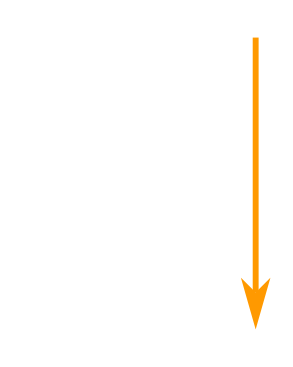
If you are custom to vector algebra, the addition of ndarray resembles the addition of vectors. In fact, numpy has been developed to behave in that way.
Let's try other operations:
import numpy as np
a_list = [1, 2, 3]
b_list = [4, 5, 6]
print("Addion of ndarray:", np.array(a_list) + np.array(b_list))
print("Subtraction of ndarray:", np.array(a_list) - np.array(b_list))
print("Multiplication of ndarray:", np.array(a_list) * np.array(b_list))
print("Division of ndarray:", np.array(a_list) / np.array(b_list))
print("Power of ndarray:", np.array(a_list) ** np.array(b_list))
Addion of ndarray: [5 7 9]
Subtraction of ndarray: [-3 -3 -3]
Multiplication of ndarray: [ 4 10 18]
Division of ndarray: [0.25 0.4  0.5 ]
Power of ndarray: [  1  32 729]
Other vector operations
When we study vectors on three-dimensional space, there are two products between vectors (which do not coincide with the product in the previous section):
- Scalar product of vectors, also known as dot product, is calculated in
numpywith the functionnp.dot(a, b) Vector product of vectors, known as cross product, calculated in
numpywith the functionnp.cross(a,b).It is worth mentioning that the dot product can be defined in vector spaces of any dimension, while the cross product is proper of three-dimensional vector spaces.
In addition, one has to be aware that the functions
np.dot()andnp.cross()might be applied to higher-dimensional arrays.
… But vectors can be multiplied by numbers
Yes, if we think vectors as arrows the resulting vector is a scaled version of the original:
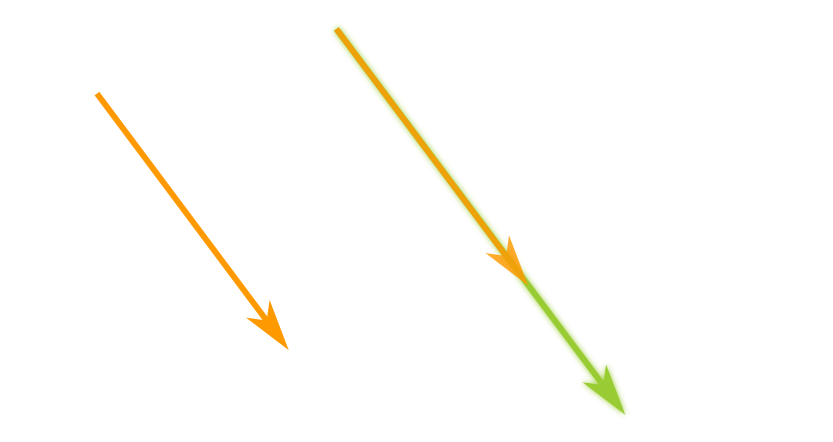
numpy allows us compute scalar product easily just multiplying our array by a numerical factor:
import numpy as np
V = np.array([3.0, -4.0])
print("1.5 times V =", 1.5 * V)
1.5 times V = [ 4.5 -6. ]
Interestingly, numpy has managed to operate on ndarray of different dimension! (I'm saying that the interpreter treats the numerical factor as a zero-dimensional ndarray). This is an example of what is known as broadcasting.
We can re-calculate the distances in Numerical functions as transformation as follows:
import numpy as np
times = np.array([0, 1, 3.5, 4.25, 10])
distances = 100 * times
print("Distances = ", distances)
Distances = [ 0. 100. 350. 425. 1000.]
U-functions: functions applied element-wise
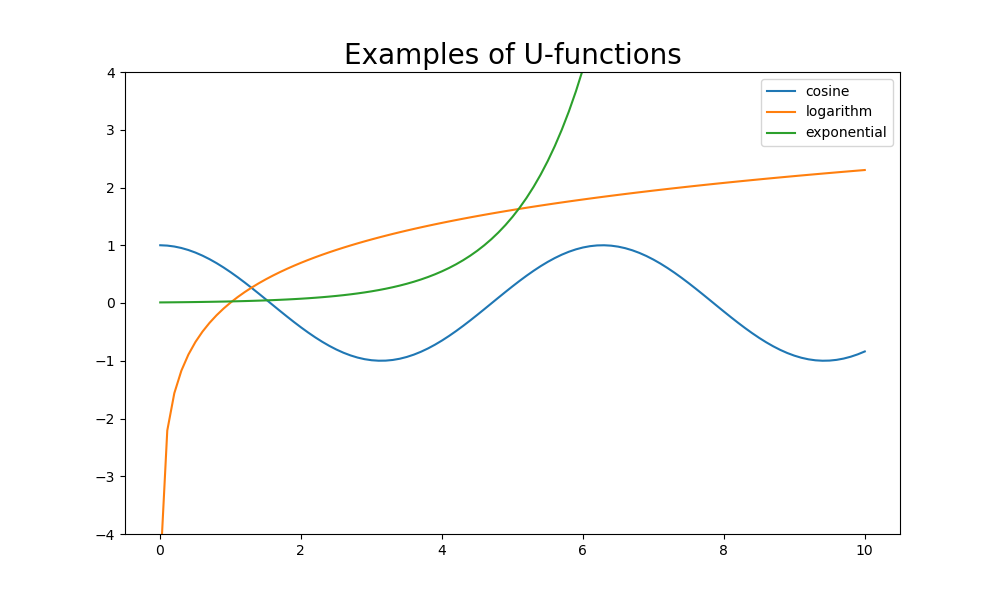
The operations presented in the section Arithmetic of ndarray, act element-wise. This is the expected action when we want to perform numerical calculations. numpy redefines many (if not all) of the mathematical functions in the math module, to act over ndarray element-by-element. Such functions are named U-functions.
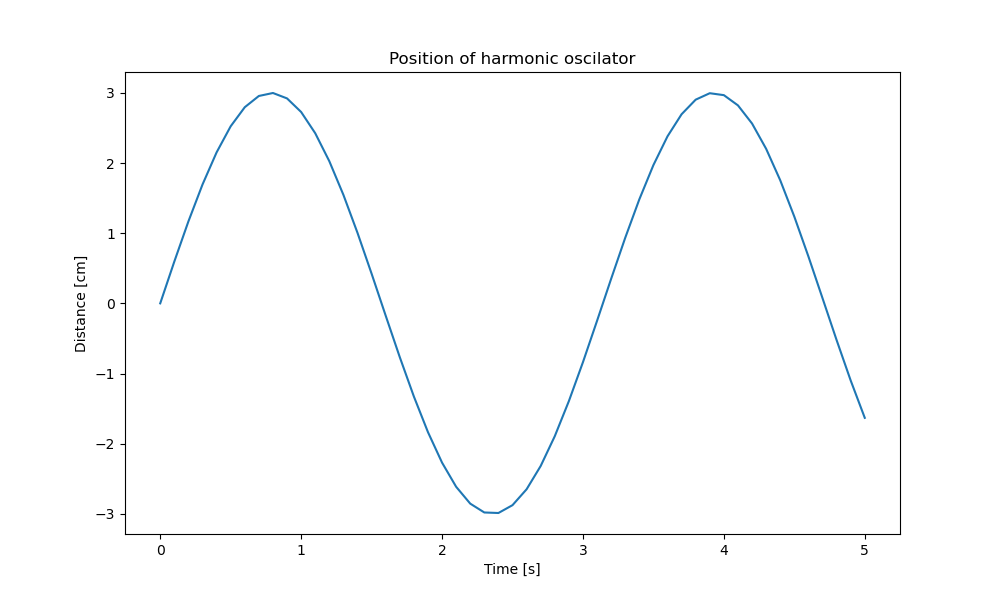
To show how to use them, consider the physical system of mass-spring. The distance of the mass, respect to the equilibrium, is modeled by the equation
\begin{equation*} x = A \sin(\omega t + \varphi), \end{equation*}where \(A\) is the maximum deformation of the spring (or amplitude), \(\omega\) is the angular frequency and \(\varphi\) is the phase (related to the initial conditions of the system).
For \(A=3\), \(\omega = 2\) and \(\varphi = 0\), the calculation is given by
import numpy as np
times = np.linspace(0, 5, 51)
distances = 3 * np.sin(2 * times)
print("Distances = ", distances)
Distances =  [ 0.          0.59600799  1.16825503  1.69392742  2.15206827  2.52441295
  2.79611726  2.95634919  2.99872081  2.92154289  2.72789228  2.42548921
  2.02638954  1.54650412  1.00496445  0.42336002 -0.17512243 -0.76662331
 -1.32756133 -1.83557367 -2.27040749 -2.61472732 -2.85480622 -2.98107301
 -2.98849383 -2.87677282 -2.65036397 -2.31829346 -1.89379991 -1.39380654
 -0.83824649 -0.24926821  0.34964761  0.93462409  1.48234005  1.9709598
  2.38100359  2.69612429  2.90375902  2.99563004  2.96807474  2.82219167
  2.56379672  2.20319129  1.75475158  1.23635546  0.66866974  0.07432628
 -0.52298034 -1.09943739 -1.63206333]
However, it is simpler to plot the results:
import numpy as np
import matplotlib.pyplot as plt
times = np.linspace(0, 5, 51)
distances = 3 * np.sin(2 * times)

plt.figure(figsize=(10,6))
plt.plot(times, distances)
plt.xlabel("Time [s]")
plt.ylabel("Distance [cm]")
plt.title("Position of harmonic oscilator")
plt.savefig(filename)
return filename
There are many other u-functions:
import numpy as np
import matplotlib.pyplot as plt
t = np.linspace(0.01, 10, 101)

plt.figure(figsize=(10,6))
plt.plot(t, np.cos(t), label="cosine")
plt.plot(t, np.log(t), label="logarithm")
plt.plot(t, 1/100 * np.exp(t), label="exponential")
plt.title("Examples of U-functions", fontsize=20)
plt.legend()
plt.ylim([-4,4])
plt.savefig(filename)
return filename